 Paco
PacoStop doing Bullhorn's
dirty work
Paco is an AI companion that lives inside Bullhorn. It updates records, matches candidates, and handles the admin work you keep putting off — so you can get back to recruiting.

Native integration. No extra tabs. No separate login. Just open Bullhorn.
How it works
Paco lives right inside Bullhorn as a sidebar, popup, or tooltip. Ask it anything, delegate tasks, or let it work in the background — updating records, matching candidates to jobs, and surfacing opportunities you'd otherwise miss.

Full access to your
Bullhorn. Zero extra steps.
Pacocan search, read, edit, and create any entity in your CRM. Candidates, Jobs, Companies, Clients — whatever needs doing, it handles it without leaving the page you're on.
Delegate the busy work
Update candidate statuses, clean up profiles, and maintain records. Tell Paco what to do, or let it handle the routine stuff on its own.
Find candidates that actually match
Skip the broken filters. Describe what you're looking for in plain language and Paco searches your entire Bullhorn database in seconds.
Proactive suggestions
Paco doesn't wait for instructions. It monitors your pipeline and surfaces candidates, updates, and opportunities you might be missing.
Pre-built actions
Common tasks like updating profiles from resumes, bulk status changes, and candidate-job matching — ready to go, no setup required.
Right where you work.
Not another tab.
Paco appears as a floating popup, sidebar, or inline suggestion — directly inside Bullhorn. No context switching. No copy-pasting between tools.
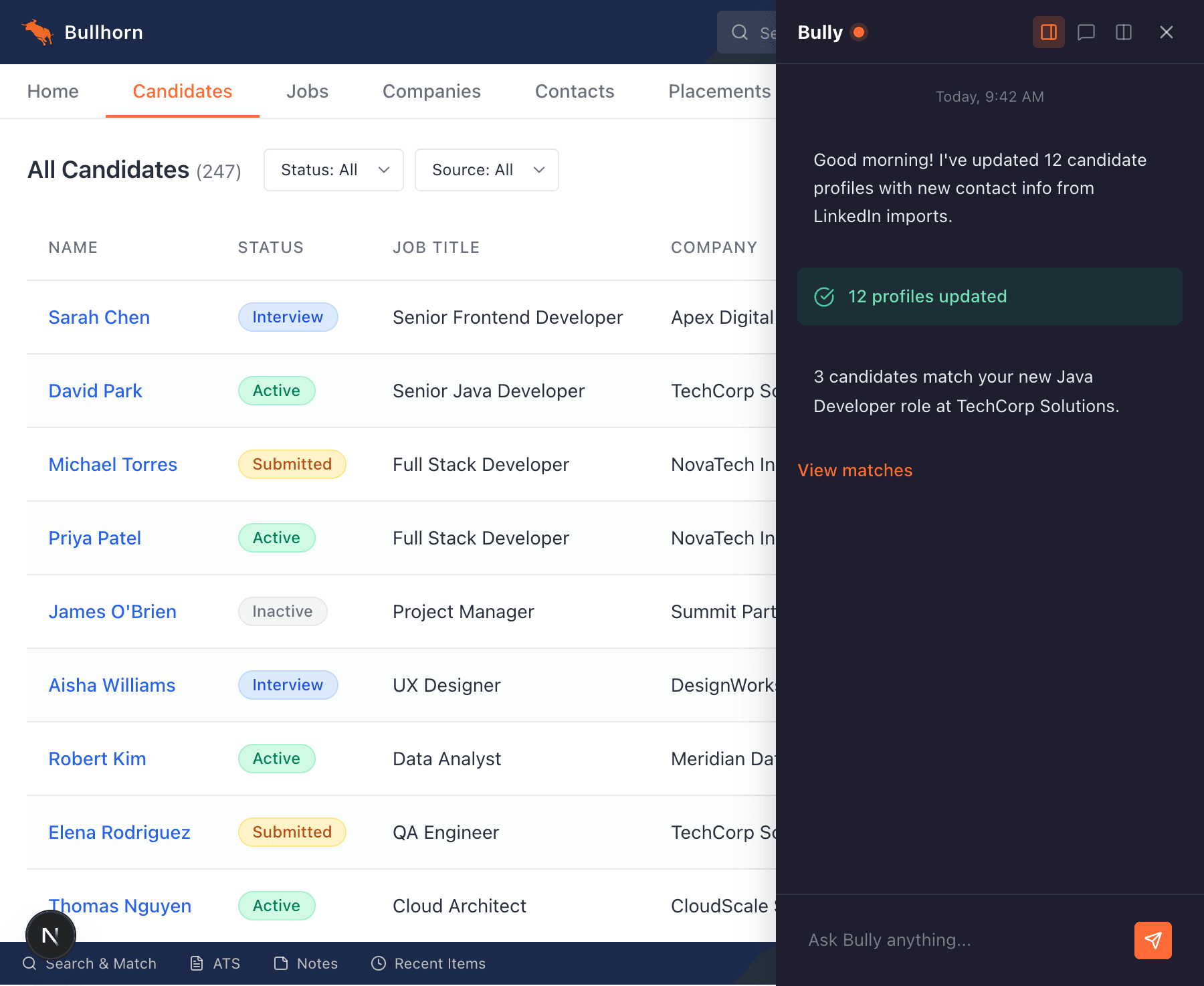
Sidebar
Open Paco as a sidebar to chat, delegate tasks, and get suggestions without leaving your workflow.
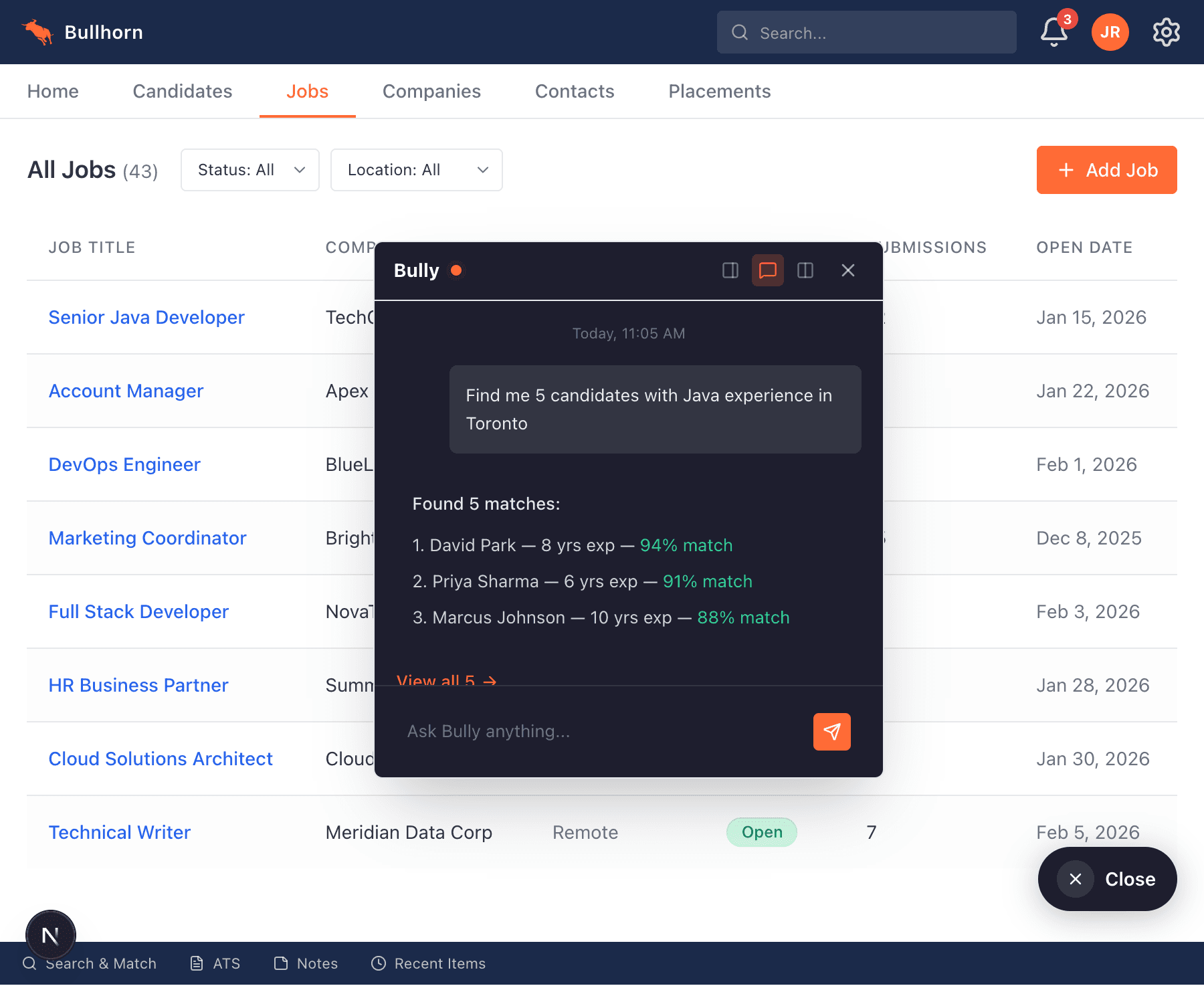
Floating popup
Quick actions and updates in a compact popup. Ask a question, get an answer, keep moving.
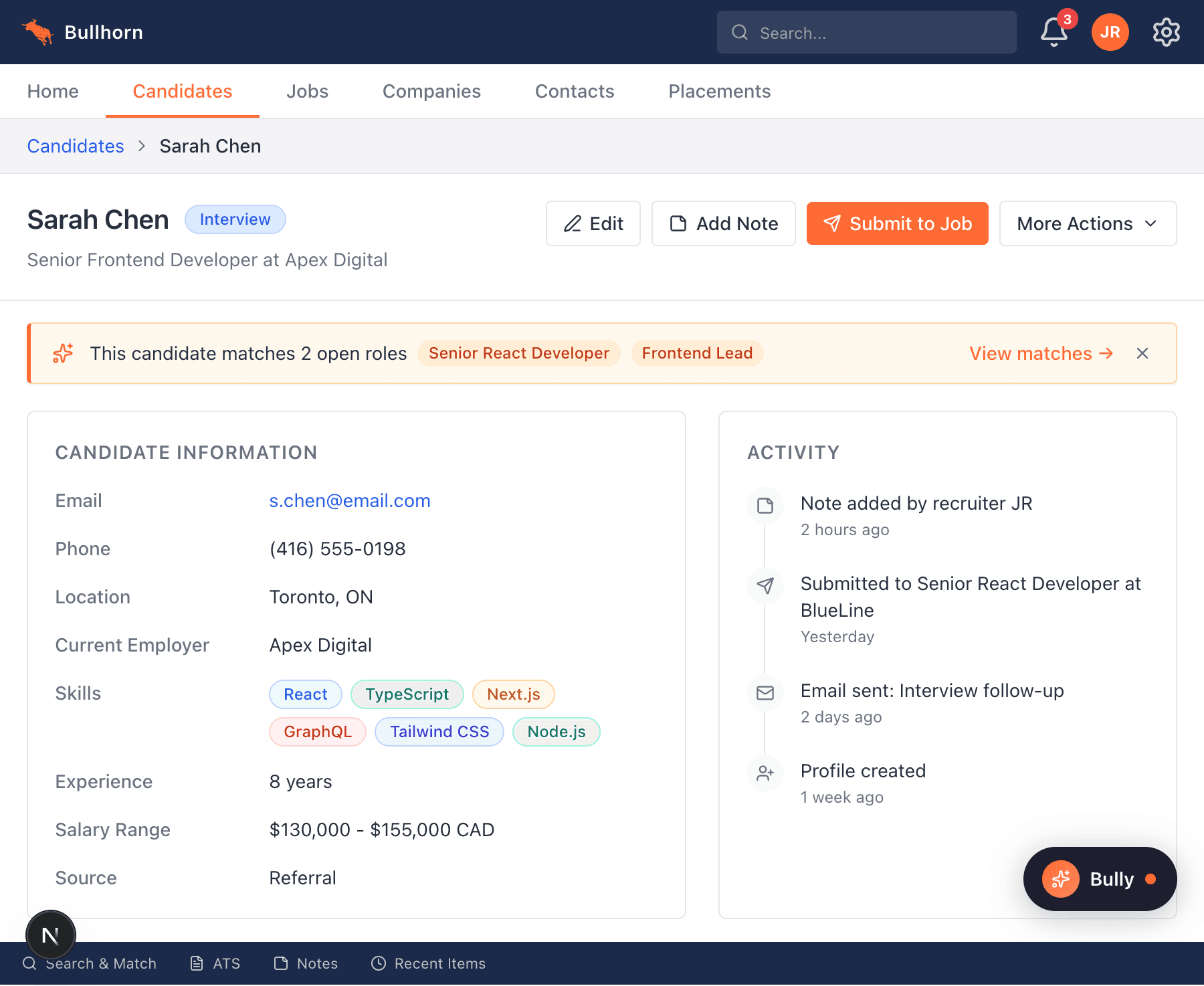
Inline suggestions
Paco surfaces recommendations right where you need them — on candidate profiles, job records, and more.
Your data stays yours
Respects your permissions
Paco operates within your existing Bullhorn permissions. It can only access what you can access. Nothing more.
Transparent actions
Every action Paco takes is visible and confirmable. You approve, it executes. Undo anything.
Enterprise-grade security
End-to-end encryption, SOC 2 compliance, and regular security audits. Your recruiting data is protected.

Try Paco
today
onboarding — you'll be running in minutes.

Need a
walkthrough?
your agency and show you the ropes.